

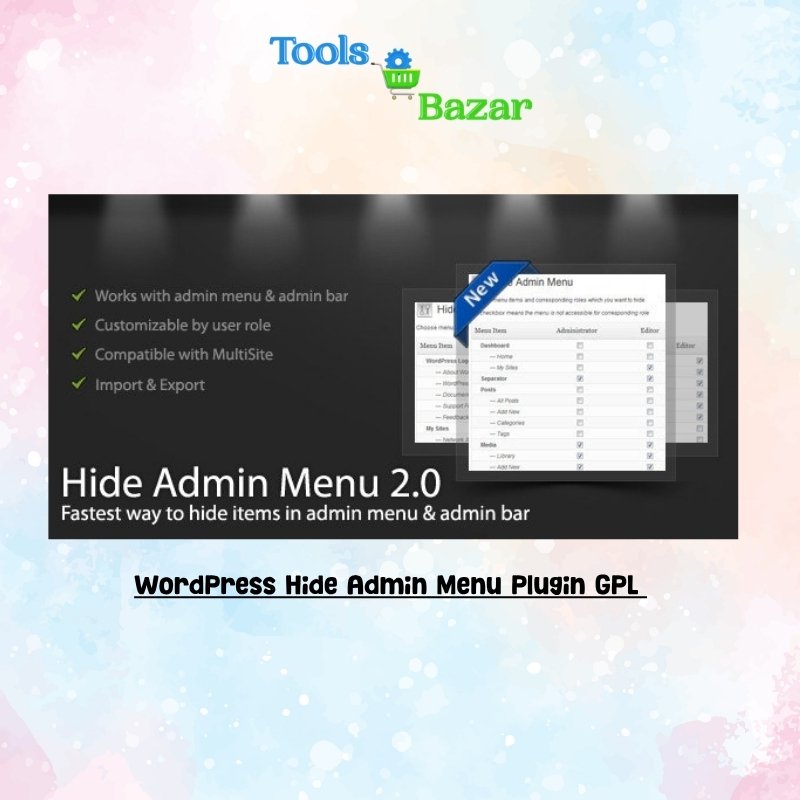

WordPress Hide Admin Menu Plugin GPL v3.1.0
Original price was: ₹2,499.00.₹149.00Current price is: ₹149.00.
- WordPress Hide Admin Menu Plugin GPL v3.1.0
- 1 Year Update from our side.
- Product Updates will provided from our side
- Direct Download and Upload in Plugins Section
- Quick help through LiveChat or Whatsapp
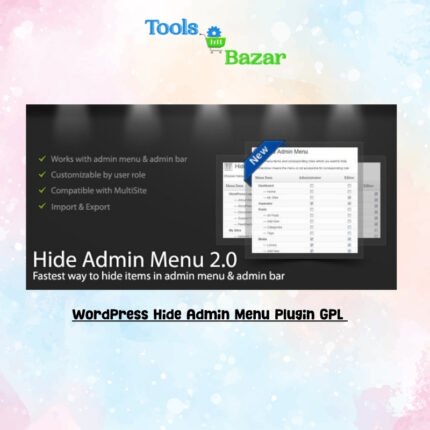
WordPress Hide Admin Menu Plugin GPL
WordPress Hide Admin Menu Plugin GPL v3.1.0 Overview
The ‘WordPress Hide Admin Menu Plugin’ is a powerful and essential tool designed to streamline and customize the WordPress administration experience. At its core, this plugin provides site owners, developers, and agencies with unparalleled control over the visibility of menu items within the WordPress dashboard. Its primary purpose is to simplify the backend interface, reduce clutter, and enhance the user experience by allowing administrators to selectively hide specific top-level and sub-menu items from various user roles or even individual users. This functionality is crucial for creating a more focused and intuitive environment, preventing accidental changes by less experienced users, and tailoring the admin area to perfectly suit the needs of different stakeholders.
In a typical WordPress installation, the admin menu can become quite extensive, especially with numerous plugins adding their own menu entries. This often leads to an overwhelming and confusing interface for users who only need access to a limited set of functionalities, such as content creation or basic site management. The ‘WordPress Hide Admin Menu Plugin’ addresses this challenge directly, empowering site administrators to declutter the dashboard and present a clean, purpose-built interface.
Whether you are managing a client’s website, running a complex multisite network, or simply aiming to optimize your own workflow, this plugin offers a robust solution for fine-tuning who sees what in the WordPress backend, thereby improving efficiency, reducing potential errors, and fostering a more professional and user-friendly administrative portal. It acts as a digital gatekeeper, ensuring that only relevant options are displayed to the appropriate users, making the WordPress backend less daunting and more productive for everyone involved.
WordPress Hide Admin Menu Plugin GPL v3.1.0 Features
The ‘WordPress Hide Admin Menu Plugin’ boasts a comprehensive suite of features meticulously crafted to offer granular control and flexibility over the WordPress admin menu. These features are designed to cater to a wide range of administrative needs, from simplifying client dashboards to securing sensitive settings.
- Role-Based Menu Visibility Control
This is perhaps the most fundamental and widely utilized feature. The plugin allows administrators to define which menu items are visible or hidden based on the user’s assigned WordPress role. For instance, you can easily hide the ‘Plugins’, ‘Themes’, and ‘Settings’ menus from Editors, Authors, and Contributors, ensuring they only see options relevant to content creation and management. This granular control extends to all default WordPress roles (Administrator, Editor, Author, Contributor, Subscriber) as well as any custom roles created by other plugins or custom code, providing immense flexibility for diverse user bases.
- Individual User Menu Control
Beyond role-based settings, the plugin offers the ability to override these defaults for specific individual users. This is particularly useful in scenarios where a particular user within a role requires different access permissions. For example, if you have multiple editors but one specific editor needs access to a particular custom post type menu that others do not, you can grant or revoke that access exclusively for them without affecting other users in the same role.
- Comprehensive Menu Item Selection
The plugin provides an intuitive interface for selecting virtually any item within the WordPress admin menu. This includes:
-
- Custom Post Type and Taxonomy Menus: If your site uses custom post types or taxonomies, the plugin allows you to manage the visibility of their associated menu items, ensuring only relevant content types are displayed to specific user
- Top-Level Menus: Easily hide core WordPress menus such as Dashboard, Posts, Media, Pages, Comments, Appearance, Plugins, Users, Tools, and Settings.
- Sub-Menu Items: Drill down into any top-level menu and hide specific sub-menu items. For example, within ‘Appearance’, you could hide ‘Themes’ and ‘Theme Editor’ while keeping ‘Menus’ and ‘Widgets’ visible.
- Plugin and Theme Menus: Control the visibility of menu items added by third-party plugins (e.g., WooCommerce, Yoast SEO, Advanced Custom Fields) and themes. This is invaluable for decluttering the dashboard when many extensions are installed.
- Admin Bar CustomizationIn addition to the main admin menu, the plugin extends its control to the WordPress admin bar (the bar at the very top of the screen). Users can hide specific items from the admin bar, such as the WordPress logo, site name, comments icon, “New” menu, or even custom items added by other plugins. This further refines the backend experience and can be used for white-labeling purposes.
- Intuitive User InterfaceThe plugin features a user-friendly settings panel, often presented with clear checkboxes or a drag-and-drop interface, making it easy for administrators of all skill levels to configure menu visibility without needing to write any code. The design prioritizes ease of use, allowing for quick and efficient adjustments.
- Import and Export SettingsFor developers and agencies managing multiple WordPress sites, the ability to import and export plugin settings is a significant time-saver. This feature allows you to configure your desired menu visibility settings on one site and then easily transfer them to another, ensuring consistency and reducing repetitive setup tasks. It also serves as a convenient backup mechanism for your configurations.
- Lightweight and Performance OptimizedThe ‘WordPress Hide Admin Menu Plugin’ is developed with performance in mind. It is designed to be lightweight, ensuring that it adds minimal overhead to your WordPress installation and does not negatively impact the loading speed or responsiveness of your admin dashboard.
- Developer-Friendly Hooks and FiltersFor advanced users and developers, the plugin often includes a range of action hooks and filters. These allow for deeper customization and integration with other plugins or custom code, enabling developers to extend its functionality or programmatically control menu visibility based on highly specific conditions.
When considering alternatives, it’s important to note that while some broader plugins offer menu hiding as part of a larger feature set, the ‘WordPress Hide Admin Menu Plugin’ excels in its dedicated focus. Plugins like ‘User Role Editor’ or ‘Members’ provide comprehensive role and capability management, often including options to hide menus, but their primary scope is much wider. Similarly, ‘White Label CMS’ or other admin branding plugins might offer some menu hiding alongside other branding features.
However, for users specifically seeking a straightforward, efficient, and dedicated solution solely for managing admin menu visibility without the overhead of additional, unneeded functionalities, the ‘WordPress Hide Admin Menu Plugin’ stands out as a specialized and highly effective choice. It offers a focused approach to a common problem, making it simpler to implement and manage for its specific purpose.
Related products
Admin Columns Pro Gravity Forms Addons GPL v1.2
Admin Columns Pro Toolset Types Addons GPL v1.8
AdSanity Core Plugin GPL v1.9.5 – Simplified Ad Management For WordPress

AdSanity Google Analytics Tracking Integration GPL v1.5.9
AdSanity Ordered Ad Group Widget Addon GPL v1.5.1

Advanced Ads Pro GPL v3.0.10 + Free v2.0.19 Activated Latest Version

Advanced Ads Sticky Ads Addon GPL v2.0.4


Reviews
There are no reviews yet.