

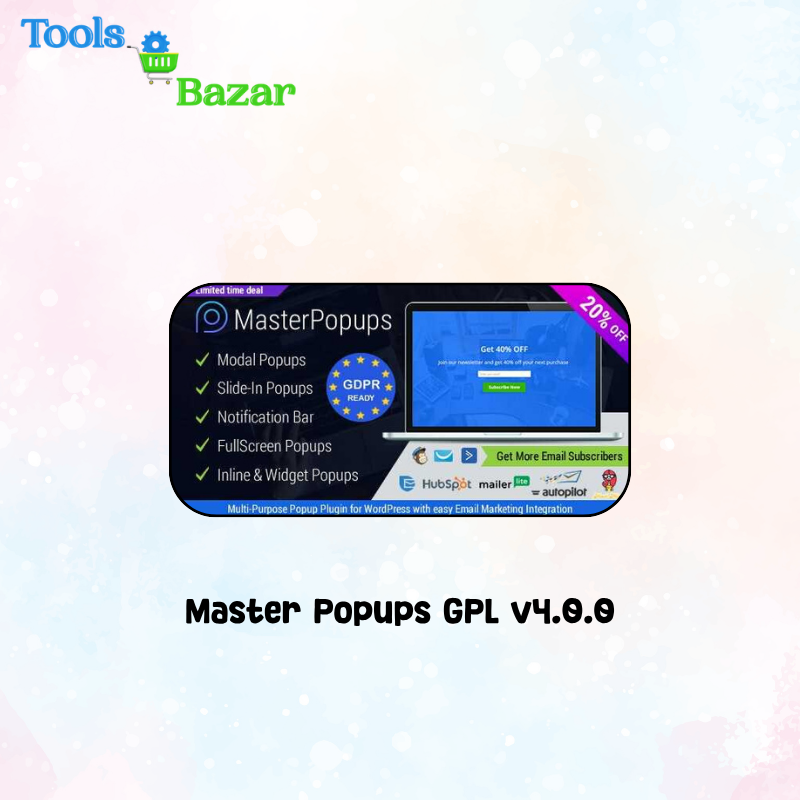
Master Popups GPL v4.0.0
Original price was: ₹2,499.00.₹149.00Current price is: ₹149.00.
Master Popups GPL v4.0.0
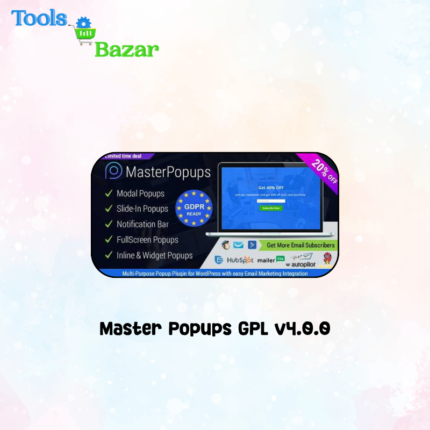
Master Popups GPL v4.0.0 is a multipurpose WordPress popup and lead-generation plugin designed to help website owners create attractive popups, subscription forms, notification bars, slide-ins and inline promotional content.
It includes a visual drag-and-drop popup editor that allows users to design marketing campaigns without manually writing code. Website owners can use the plugin to collect leads, grow email lists, display special offers, promote products, show important notices and improve visitor engagement.
The plugin is suitable for bloggers, marketers, agencies, WooCommerce stores, online-course websites, membership platforms and business websites.
Key Features
- Visual drag-and-drop popup editor
- Create modal and lightbox popups
- Create full-screen popups
- Create notification bars
- Create slide-in campaigns
- Create inline popups
- Display campaigns through WordPress widgets
- Ready-to-use popup templates
- Create popups from scratch
- Responsive popup designs
- Desktop, tablet and mobile display controls
- Email subscription forms
- Contact and lead-generation forms
- Custom form fields
- Collect names, email addresses, telephone numbers and other information
- Connect forms with email-marketing platforms
- CRM integration support
- Save subscribers in audience lists
- Page-level targeting options
- URL inclusion and exclusion rules
- Homepage, post and page targeting
- User-behaviour-based popup triggers
- Cookie-based popup frequency controls
- Custom CSS support
- Custom JavaScript support
- Shortcode support
- Content-locking functionality
- Password-protected content
- Subscription-based content unlocking
- Custom popup animations
- Background image and video support
- Buttons, icons, images, forms and text elements
- Import ready-made popup templates
- Duplicate and reuse popup designs
- Popup statistics and lead management
- Compatible with common WordPress themes
Master Popups GPL v4.0.0
Popup Types
Modal Popups
Display a centered popup over the website content to promote an offer, collect leads or show an important message.
Full-Screen Popups
Cover most or all of the visitor’s screen with a campaign, announcement, subscription form or call to action.
Notification Bars
Create promotional or informational bars at the top or bottom of the website.
Slide-In Popups
Display compact campaigns that slide into the screen from a selected position.
Inline Popups
Insert forms, advertisements or promotional content directly inside pages and posts.
Widget Popups
Display campaign content through compatible WordPress widget areas.
Content-Locker Popups
Hide selected content until visitors submit a form or enter the required password.
Popup Triggers
Page-Load Trigger
Automatically display a popup when a visitor opens a page. A delay can be configured so that the popup appears after a selected number of seconds.
Exit-Intent Trigger
Display a popup when the plugin detects that a desktop visitor is preparing to leave the page.
Scroll Trigger
Show the popup after the visitor scrolls to a selected point or percentage of the page.
User-Inactivity Trigger
Display a campaign when the visitor remains inactive for a configured period.
Click Trigger
Open a popup when the visitor clicks a button, text link, image or other supported website element.
Inline Display
Place the selected campaign before or after page or post content.
Targeting Options
- Display popups across the entire website
- Display only on the homepage
- Display on selected pages
- Display on selected posts
- Display on specific URLs
- Exclude selected URLs
- Target selected post types
- Control popup visibility by device
- Show campaigns only under selected conditions
- Use cookies to control repeated appearances
- Prevent the same popup from appearing too frequently
- Create different campaigns for different pages
- Target visitors according to campaign requirements
Email-Marketing and CRM Integrations
Depending on the installed version and available connection method, Master Popups may support integration with services such as:
- Mailchimp
- MailPoet
- MailerLite
- Brevo or Sendinblue
- GetResponse
- ActiveCampaign
- ConvertKit
- Klaviyo
- HubSpot
- Constant Contact
- AWeber
- Drip
- FluentCRM
- Mautic
- Campaign Monitor
- SendGrid
- SendPulse
- Zoho Campaigns
- Zoho CRM
- Pipedrive
- Salesforce
- Mailgun
- EmailOctopus
- Moosend
- Customer.io
- Other supported email and CRM services
Third-party integrations may require a separate account, API key or paid subscription with the connected service.
Uses and Applications
- Growing a website email list
- Collecting visitor contact information
- Creating newsletter subscription forms
- Promoting discount codes
- Displaying limited-time offers
- Creating exit-intent campaigns
- Recovering visitors before they leave
- Promoting WooCommerce products
- Advertising seasonal sales
- Displaying free-shipping notices
- Creating lead magnets
- Offering downloadable resources
- Collecting customer inquiries
- Creating contact forms
- Displaying website announcements
- Showing maintenance or service notices
- Promoting online courses
- Collecting webinar registrations
- Creating event-registration campaigns
- Promoting membership plans
- Displaying age-verification notices
- Creating disclaimer popups
- Locking premium content
- Protecting content with a password
- Unlocking content after form submission
- Showing newsletter forms inside blog posts
- Creating promotional notification bars
- Displaying related products and services
- Driving visitors to selected landing pages
- Promoting social-media channels
- Displaying cookie or informational notices
- Creating mobile-specific campaigns
- Capturing leads from targeted website pages
Related products
Ad Inserter Pro GPL v2.8.8 – Advanced WordPress Ads Management Plugin
Admin Columns Pro Gravity Forms Addons GPL v1.2
Admin Columns Pro Ninja Forms v1.5 Addons GPL
Admin Columns Pro Yoast SEO Addons GPL v1.2

AdSanity Rotating Ad Widget Addon GPL v1.6.4


Reviews
There are no reviews yet.